
1.13M people already installed one of these. Are you still running stock Claude?
There are plenty of roundups of Claude Code plugins. Most of them stop at "just run this one command." So I actually installed all five and checked whether they worked.
Short version: one of them never produced a command at all. One I have been using daily for months. The other three are useful in completely different ways, so I will not pretend they belong in one ranking.
Tested on: Windows 11 · Node v24.18.0 · npm 11.16.0, on 2026-08-24. Install counts were read off the official pages that same day.
First: where each one actually runs
These five are not the same kind of thing, and this is where most of the wasted effort happens. Four are plugins for Claude Code. One is a Skill. That distinction decides whether you can use it on the web.
| Tool | Type | Claude Code | Web / App |
|---|---|---|---|
| OmniRoute | npm package | Yes | No |
| claude-mem | Plugin | Yes | No |
| Frontend Design | Plugin | Yes | No |
| Playwright | Plugin | Yes | No |
| Task Observer | Skill | Yes | Yes |
Plugins have nowhere to install on the web or desktop app — there is no slot for them. Task Observer is the only Skill here, so it works on web, app, and mobile, including on the free plan. If you only use Claude on the web, that is the one to look at.
Two kinds of commands — this trips people up constantly.
Commands starting with / go inside Claude Code.
Commands without a slash go in your terminal.
1. OmniRoute — failed in my environment
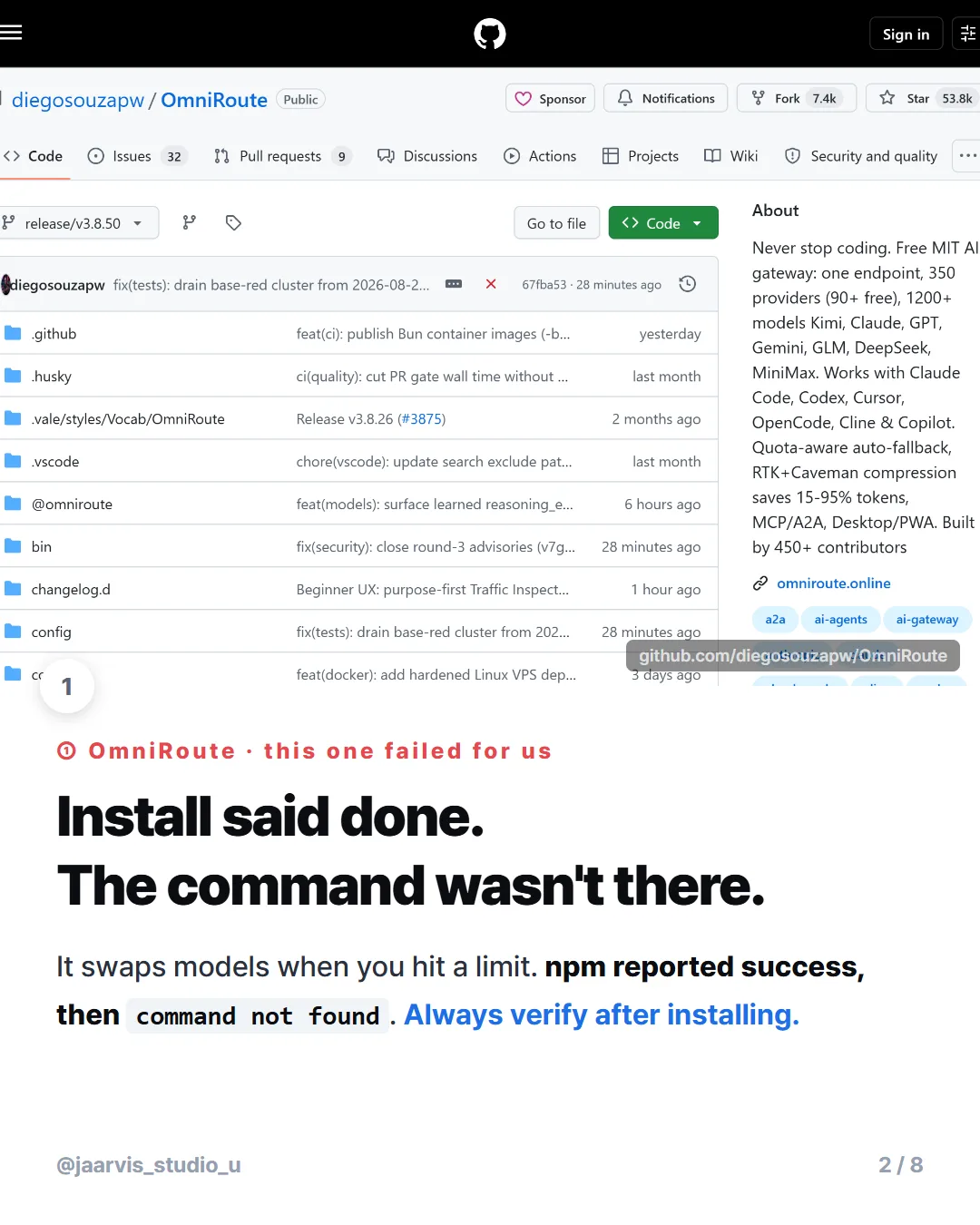
It routes you to a different model when you hit a usage limit, by running a relay server on your machine that Claude Code talks through. The concept is good. But the install finished and the command did not exist.
$ npm install -g omniroute
   ... several warnings ... (the ones the docs call "normal")
   added 1058 packages

$ omniroute --version
   command not found        <- stopped here
I dug in. npm ls -g lists it as omniroute@ — with no version, while every other global package shows one like firebase-tools@15.25.0. The installed folder has no package.json and no bin/ directory; only a LICENSE file survived.
The npm registry entry clearly declares bin: { omniroute: "bin/omniroute.mjs" }, and unpacking the published tarball by hand shows bin/ present and intact. Removing and reinstalling gave the same result. My three other global packages work fine. So something goes wrong while unpacking during install.
I suspected the Windows path length limit, but the longest path measured 184 characters — well inside the 260 limit. I could not pin down the cause.
So I am not going to declare it broken. This is one environment, reproduced twice; macOS or a different Node version may be fine. But run omniroute --version right after installing. "Install complete" was not the same as "working."
Note that this is the only one of the five that needs Node.js separately, and you have to restart your terminal after installing it.
2. claude-mem — the one I actually use
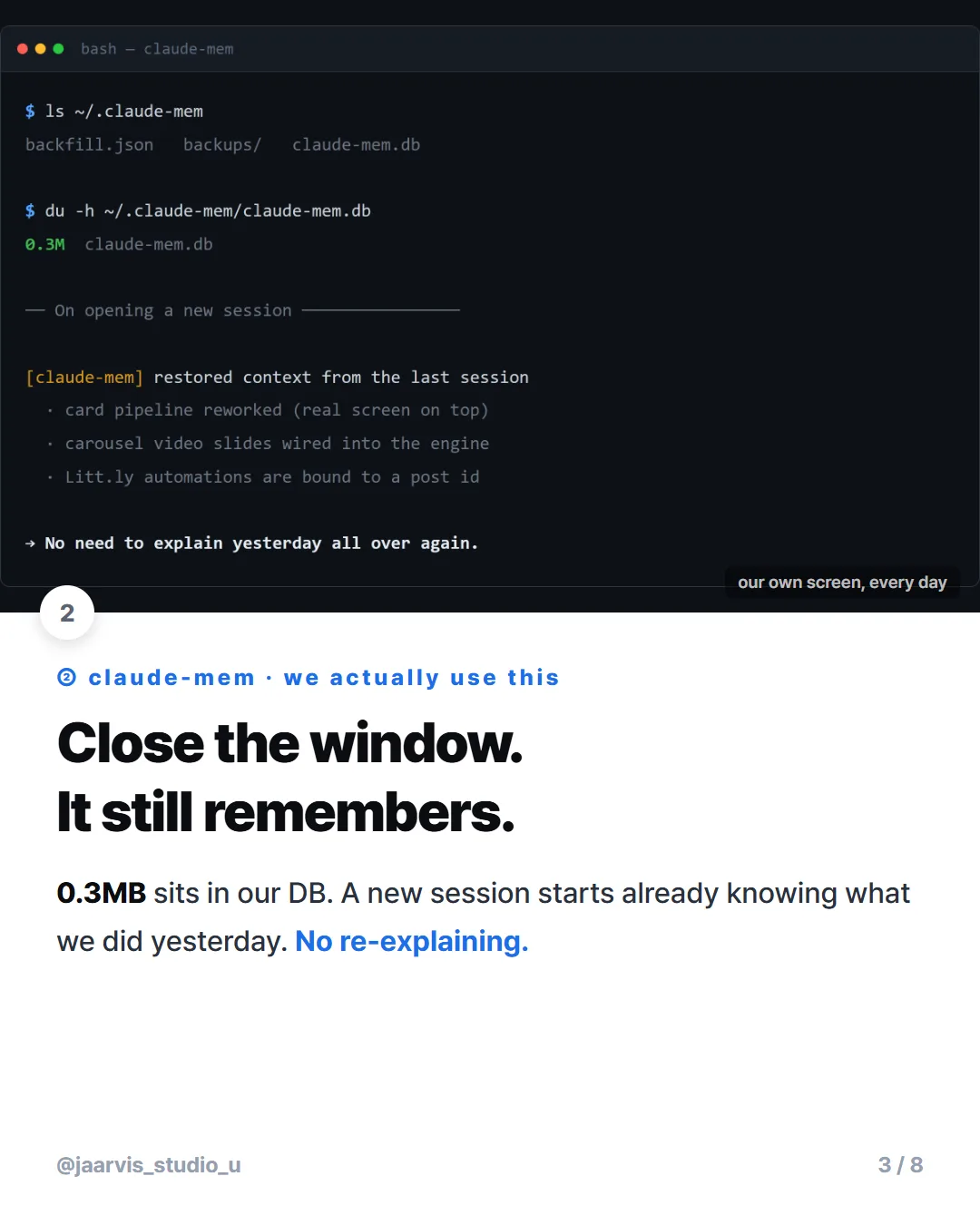
Claude Code forgets the conversation the moment you close the window. This summarizes past work and feeds it into your next session automatically. It is the only one of the five I actually run every day, so it is the only one I can give a real opinion on.
$ ls ~/.claude-mem
  backfill.json   backups/   claude-mem.db

$ du -h ~/.claude-mem/claude-mem.db
  0.3M   claude-mem.db          <- accumulated memory

# opening a new session
[claude-mem] restored context from previous sessions
  · card-news pipeline rework
  · carousel video slide support in the engine
  · Litt.ly automations are bound to the post id
The whole benefit fits in one sentence: "pick up where we left off yesterday" actually works. It sounds minor until the twenty minutes you spent every morning re-explaining yesterday disappears entirely.
/plugin marketplace add thedotmack/claude-mem
/plugin install claude-mem
If that fails, npx claude-mem install from the terminal works too. Do not use npm install -g claude-mem — the author explicitly warns against it in the docs.
It has a separate feature for excluding sensitive content from what gets recorded. If you work with client or personal data, read those settings before you start.
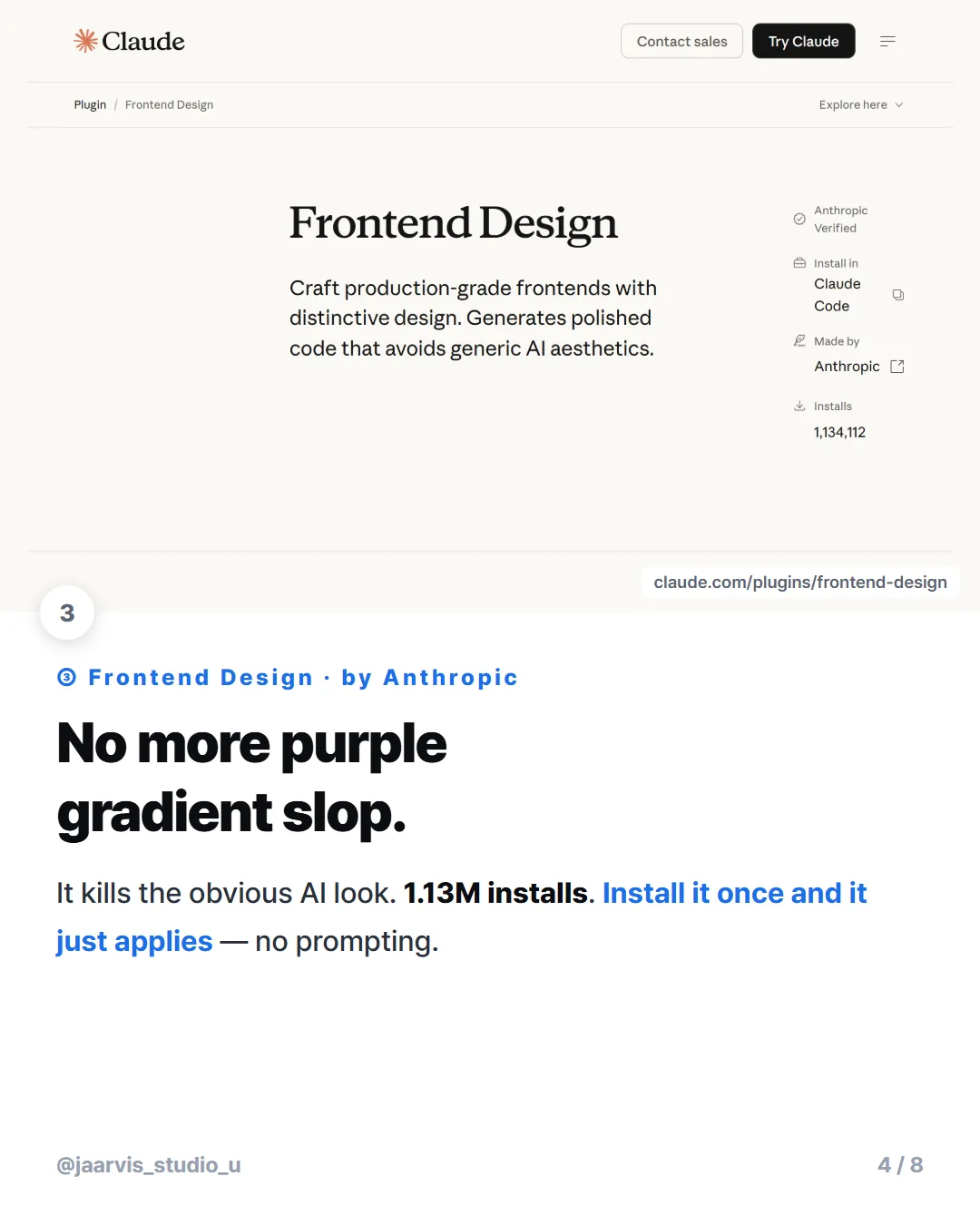
3. Frontend Design — 1.13M installs, built by Anthropic
It fixes the thing where every AI-generated screen comes out as the same purple gradient. It commits to real typography and color choices, so you get a screen that does not look like the last five you saw.
1.13 million installs — read off the official page the day I wrote this, and far ahead of everything else on this list.
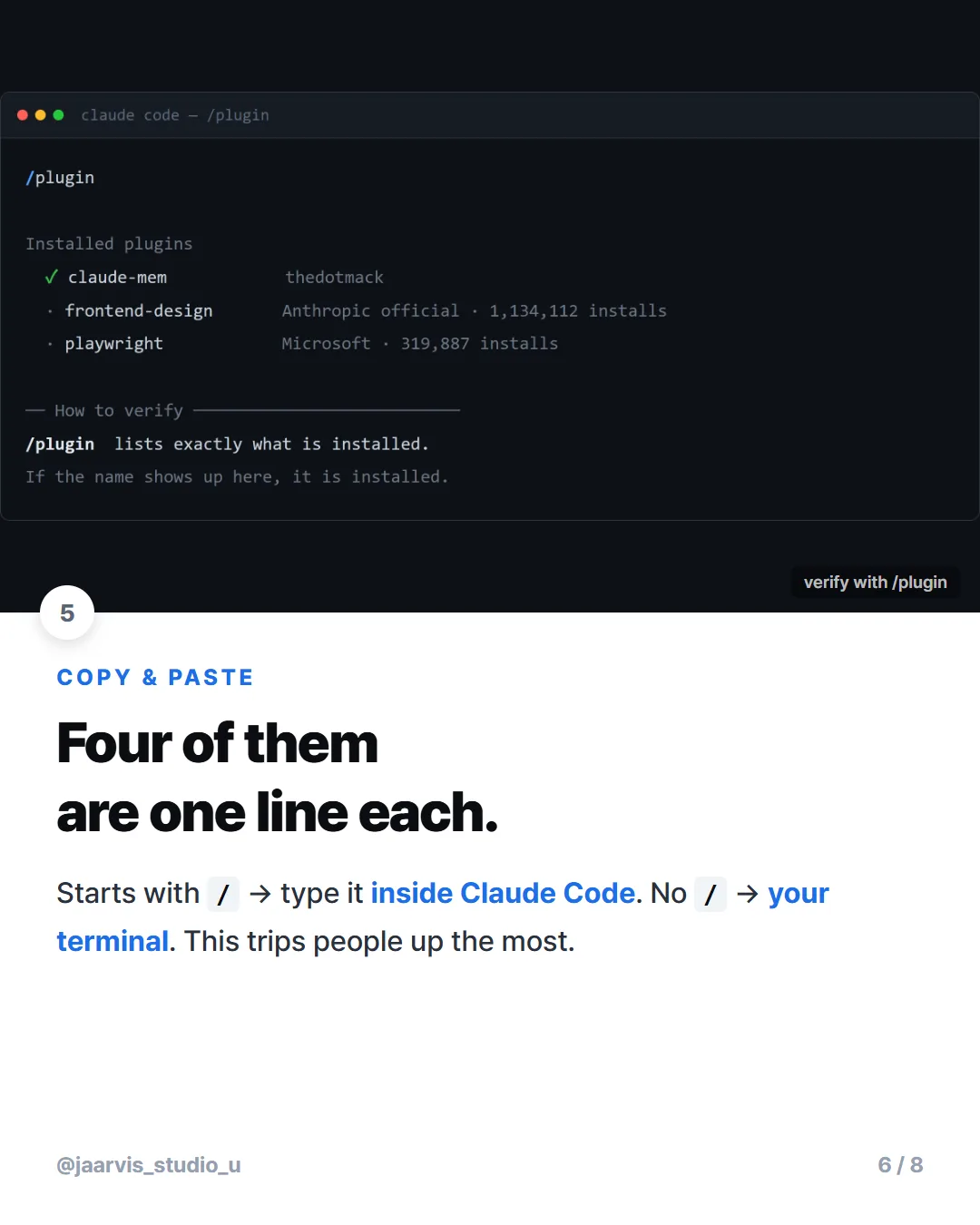
/plugin install frontend-design@claude-plugins-officialYou never call it explicitly. Install it, then ask for "a dashboard for a music streaming app" the way you normally would, and it applies itself.
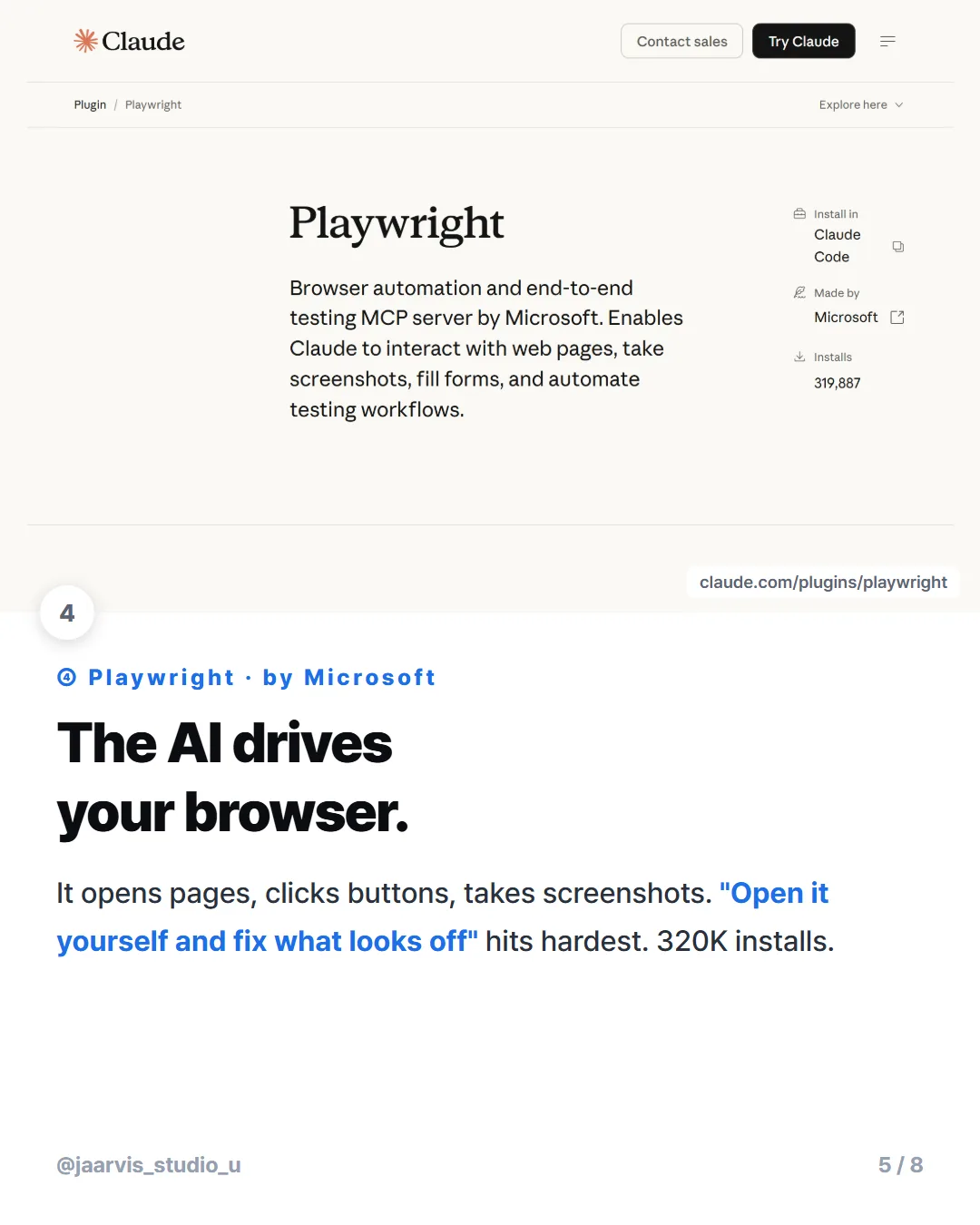
4. Playwright — 320K installs, hands the browser to the AI
The AI opens a browser itself, navigates pages, clicks buttons, and takes screenshots.
/plugin install playwright@claude-plugins-officialYou do not memorize commands, you just describe what you want: "open example.com and screenshot it", "click submit and check the confirmation appears."
I do this through MCP rather than the plugin, but the effect is the same. The GitHub repository screenshots in this post's card news were captured by driving a browser automatically. The highest-value use I have found is building a screen and then saying "open it yourself and fix what looks wrong."
If the commands in sections 3 and 4 do not work, the official directory is not registered yet. Run this once in your terminal (no slash) and try again:
claude plugin marketplace add anthropics/claude-plugins5. Task Observer — the only one that works on the web
It watches how you work, spots the things you ask for repeatedly, and proposes automating them before you think to. The longer you use it, the shorter your instructions get.
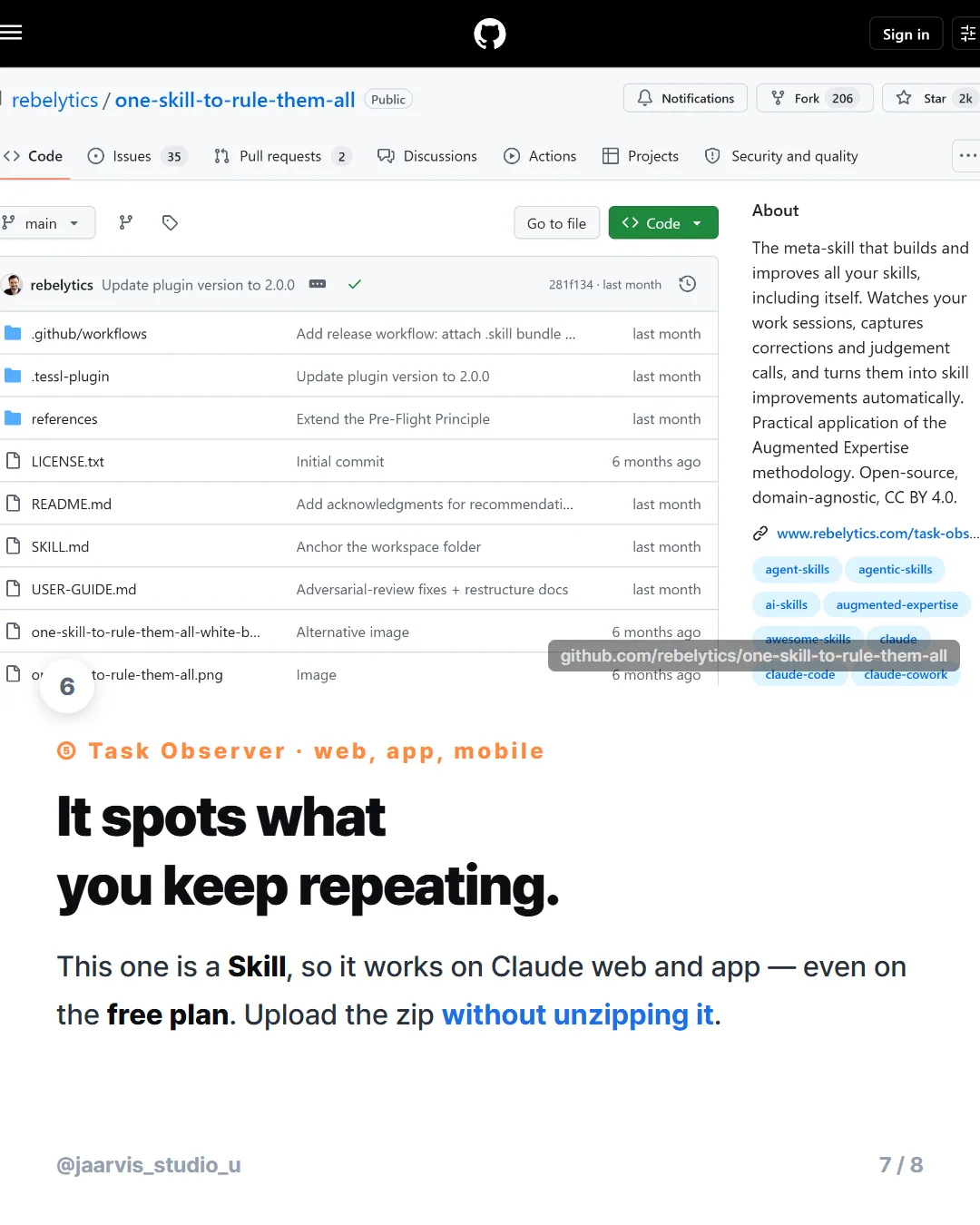
I downloaded the repository and opened it up. SKILL.md alone is 25KB, and next to it a references/ folder holds environments.md, skill-authoring.md, and weekly-review.md.
Upload the zip without unzipping it. If you upload only SKILL.md, the references/ folder is missing and the skill runs at half strength — the main file points at those documents constantly.
Three steps to install:
- Download the skill files as a zip from the repository.
- In Claude settings → Features, turn on code execution. If this is off, the skill will not even appear in the list.
- Go to
claude.ai/customize/skills, press+, and upload the zip.
If you use it in a shared workspace, pick one shared folder on the first task and keep using it. Change folders and it loses the observations it has accumulated.
What I took away from all five
The biggest thing: "install complete" and "working" are different states. npm reported success for OmniRoute and the command did not exist. Had I moved on, I would have spent an hour later wondering why nothing happened.
So whatever you install, run one verify command. Plugins: /plugin. npm tools: --version. Skills: check the name appears in the list. It takes thirty seconds.
The other thing: these five are not equally weighted. Frontend Design has 1.13M installs and the rest are far behind. You do not need all of them — pick the one that addresses whatever is annoying you most right now.
Copy this — install plus verify
The verify step is included for each. Run it right after installing.
# (1) OmniRoute — terminal (needs Node.js; restart terminal after installing)
npm install -g omniroute
omniroute --version            # "command not found" here means it failed

# (2) claude-mem — inside Claude Code, both lines in order
/plugin marketplace add thedotmack/claude-mem
/plugin install claude-mem
#   verify: restart Claude Code and mention yesterday's work

# (3) Frontend Design — inside Claude Code
/plugin install frontend-design@claude-plugins-official

# (4) Playwright — inside Claude Code
/plugin install playwright@claude-plugins-official

#   verify (3) and (4): run /plugin and check both are listed
#   if the commands fail, register the directory once, in your TERMINAL:
#   claude plugin marketplace add anthropics/claude-plugins

# (5) Task Observer — a Skill, not a plugin
#   Download the zip, enable code execution in settings,
#   upload at claude.ai/customize/skills WITHOUT unzipping.
Three things account for most of the failures: not restarting the terminal after installing Node.js, typing a / command into the terminal, and skipping the verify step on an install that silently failed.
The short version

AI coding workflows, tested on real work — not demos. New posts weekly.
About this post · I first came across the list of five in a roundup by @moodmode.ai. Everything above — the installs, the failure, the verify steps, the install counts — I checked myself on 2026-08-24.