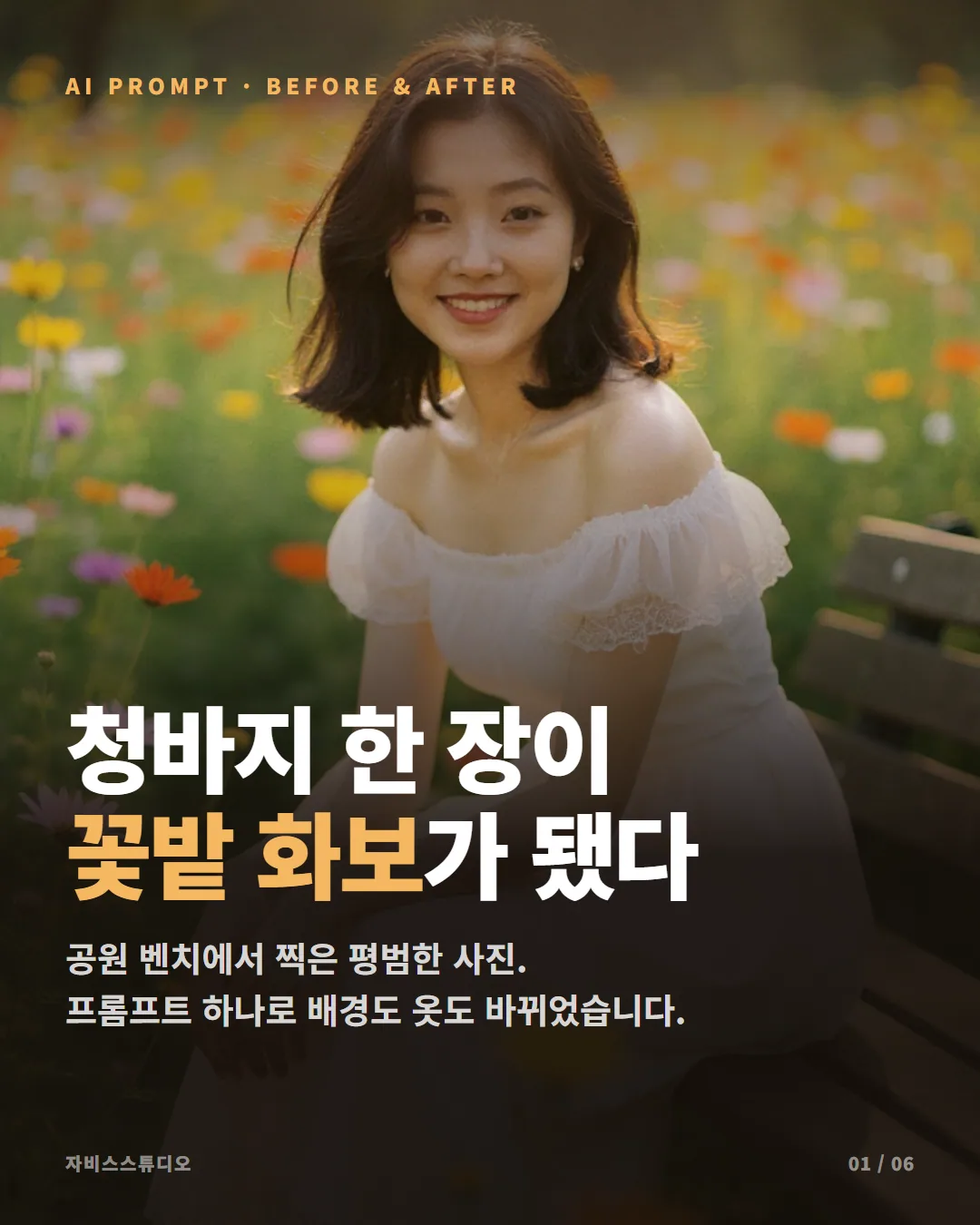
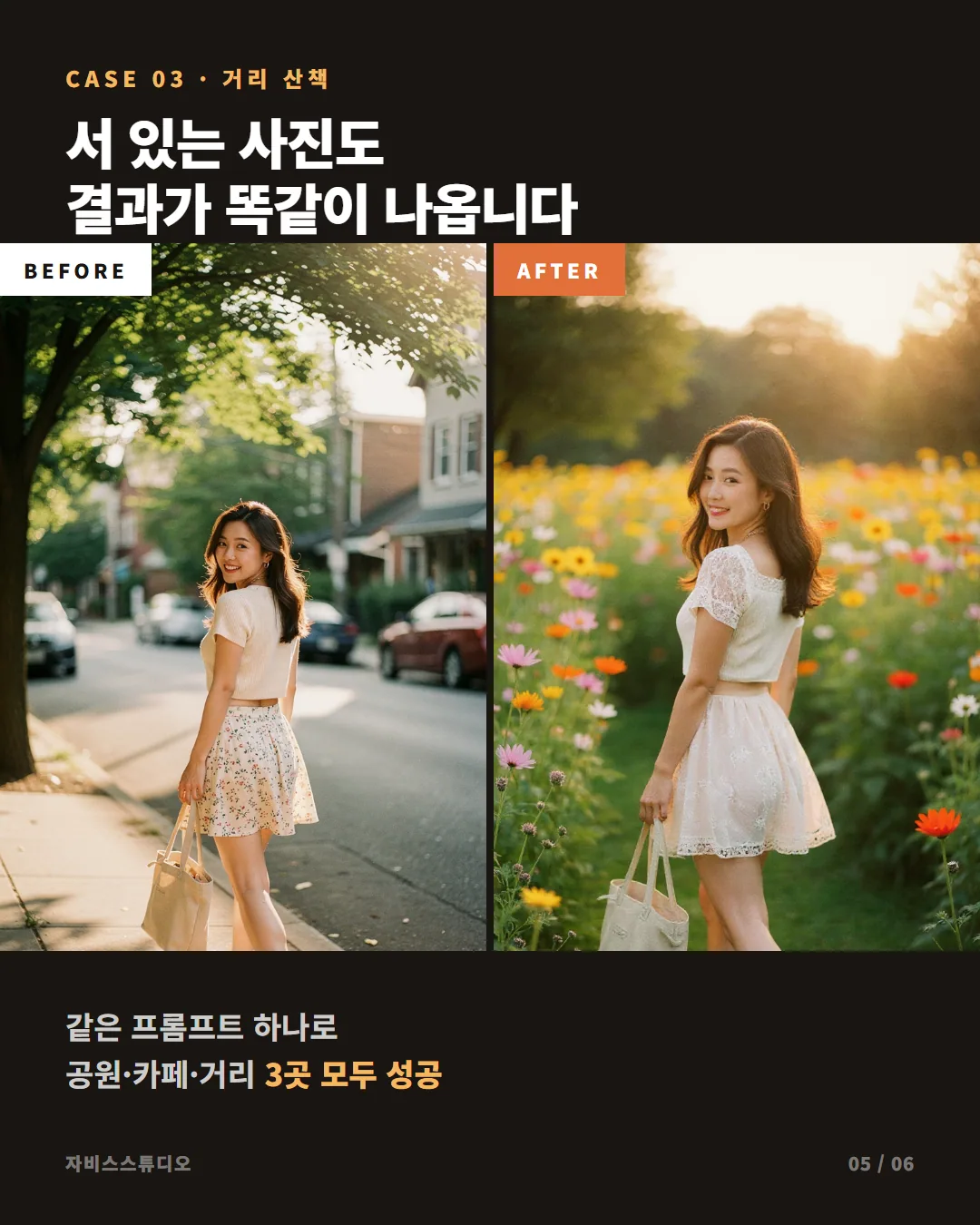
결과물 먼저 — 공원·카페·거리 3곳 테스트
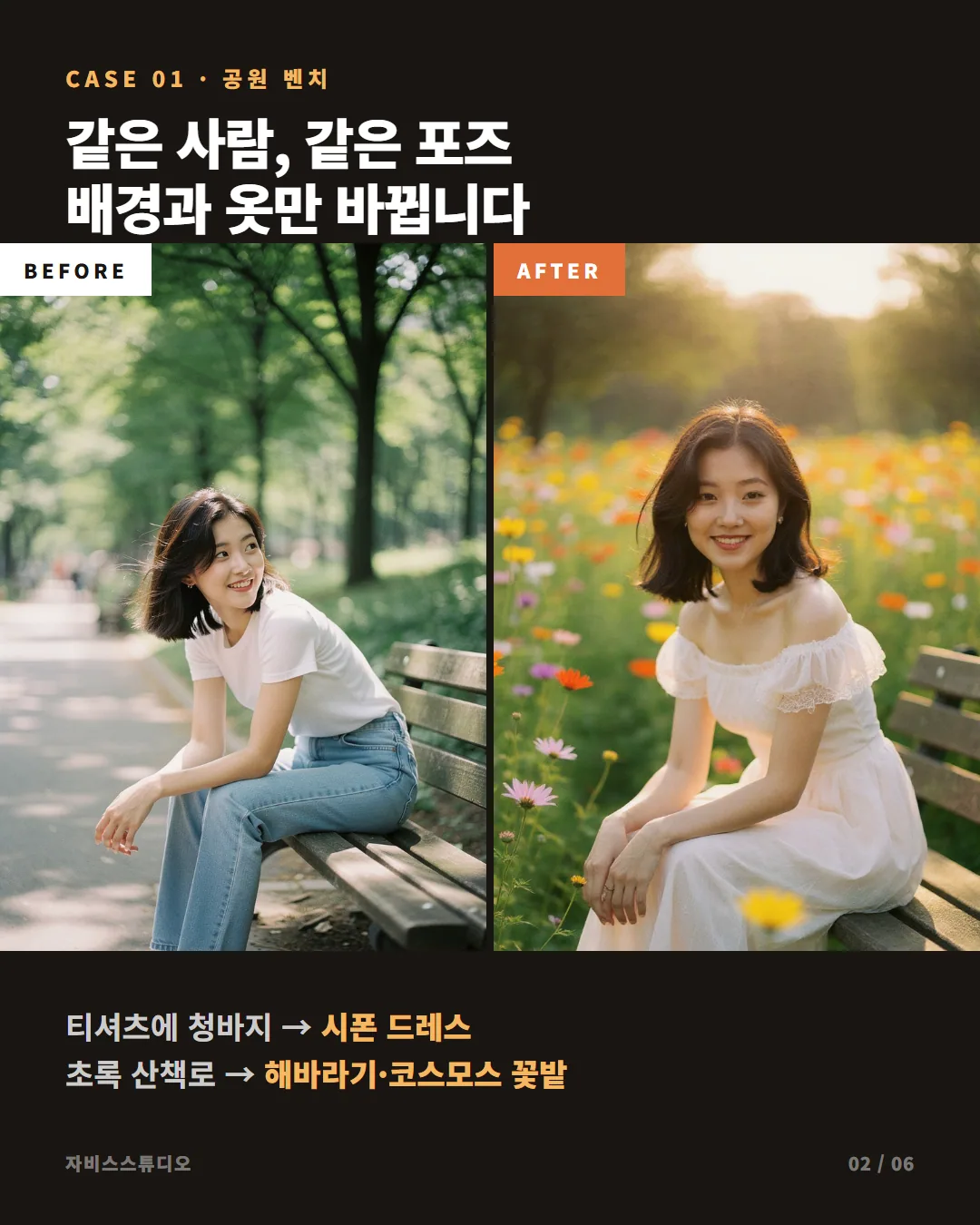
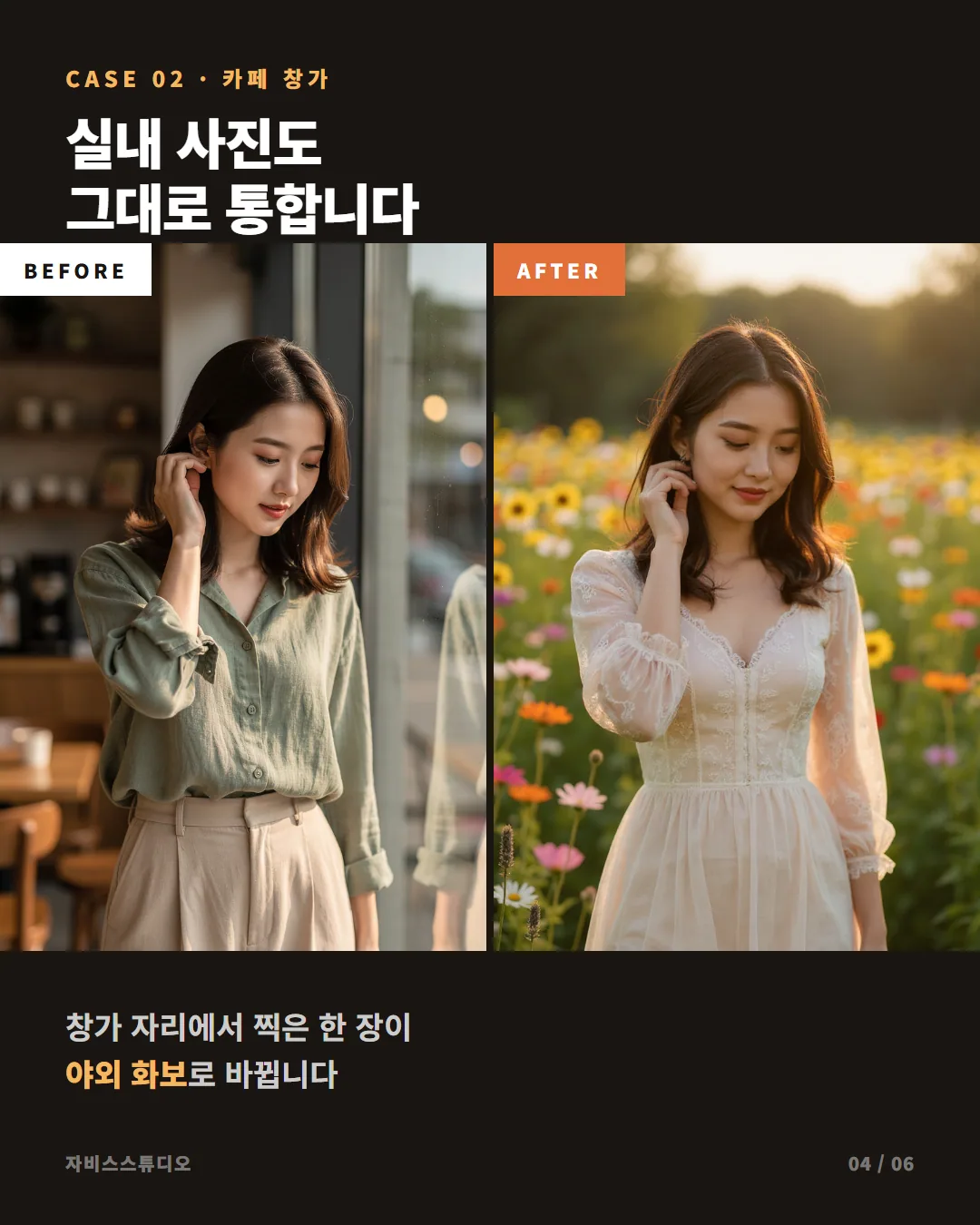
어떤 배경, 어떤 옷을 입고 있어도 꽃밭+드레스로 바뀝니다. 얼굴과 포즈는 그대로 유지하면서요.
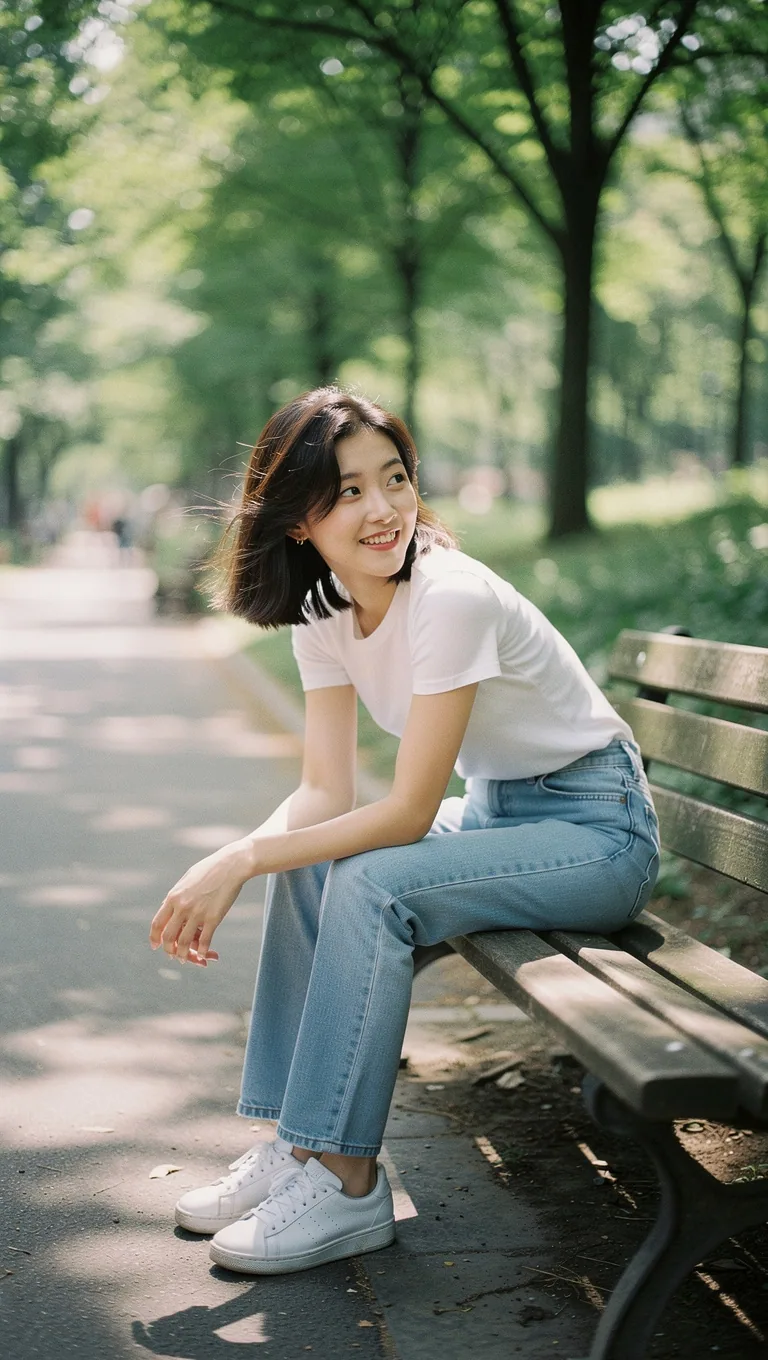 BEFORE
공원 벤치 일상샷
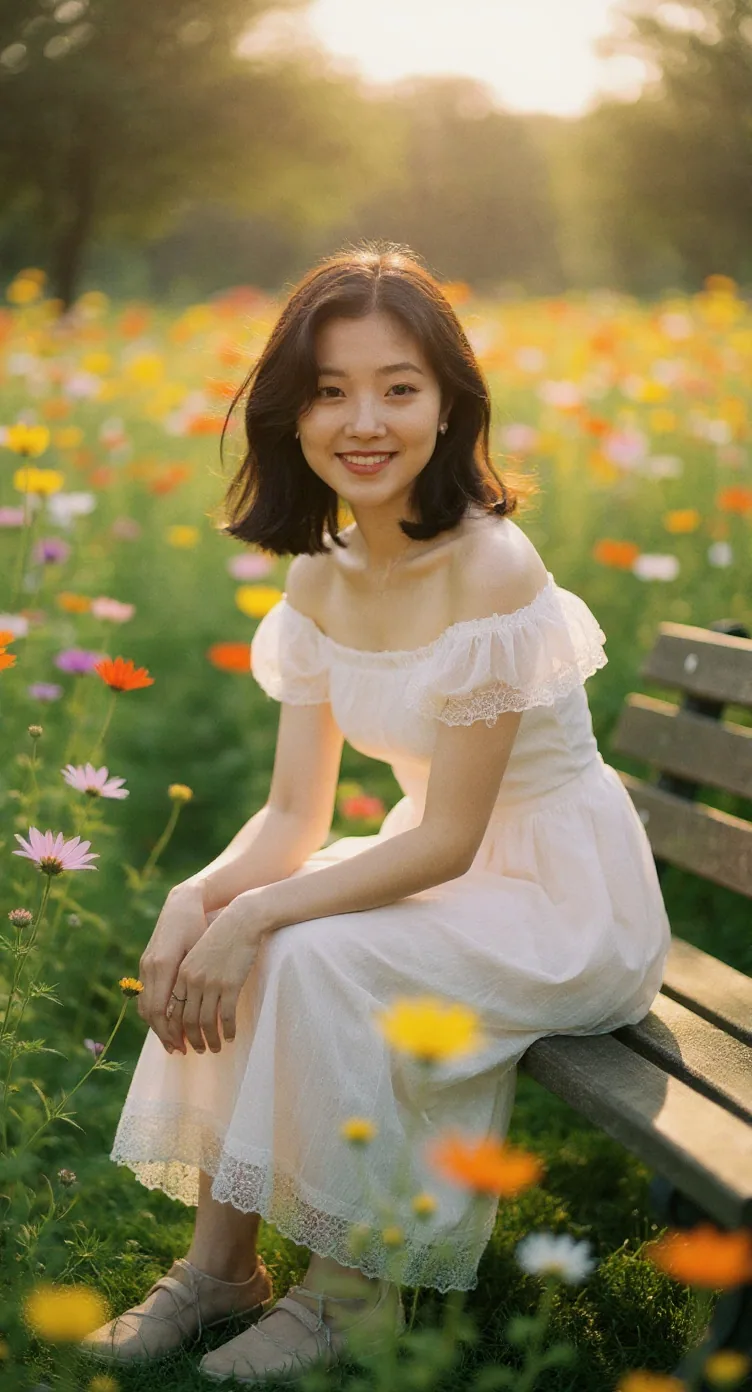 AFTER
AFTER8월 혼합 꽃밭
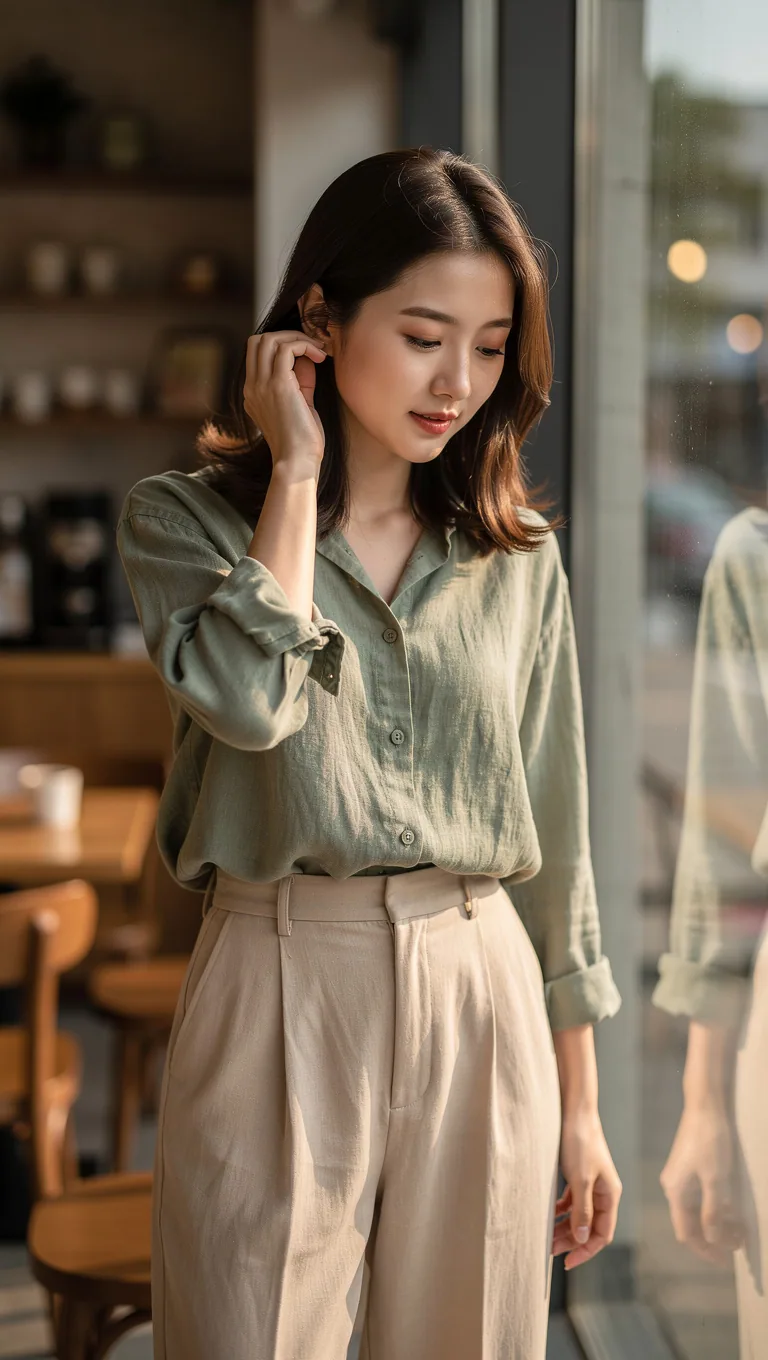 BEFORE
카페 창가
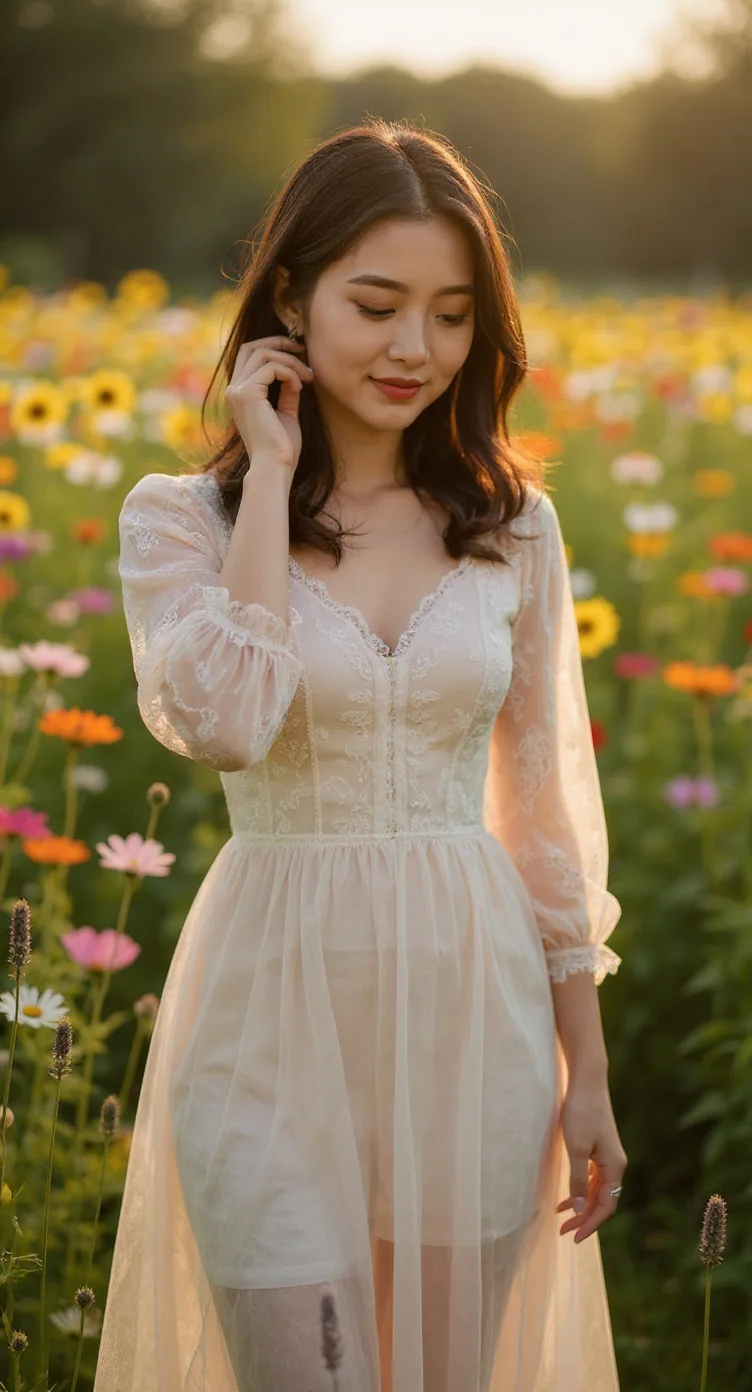 AFTER
AFTER8월 혼합 꽃밭
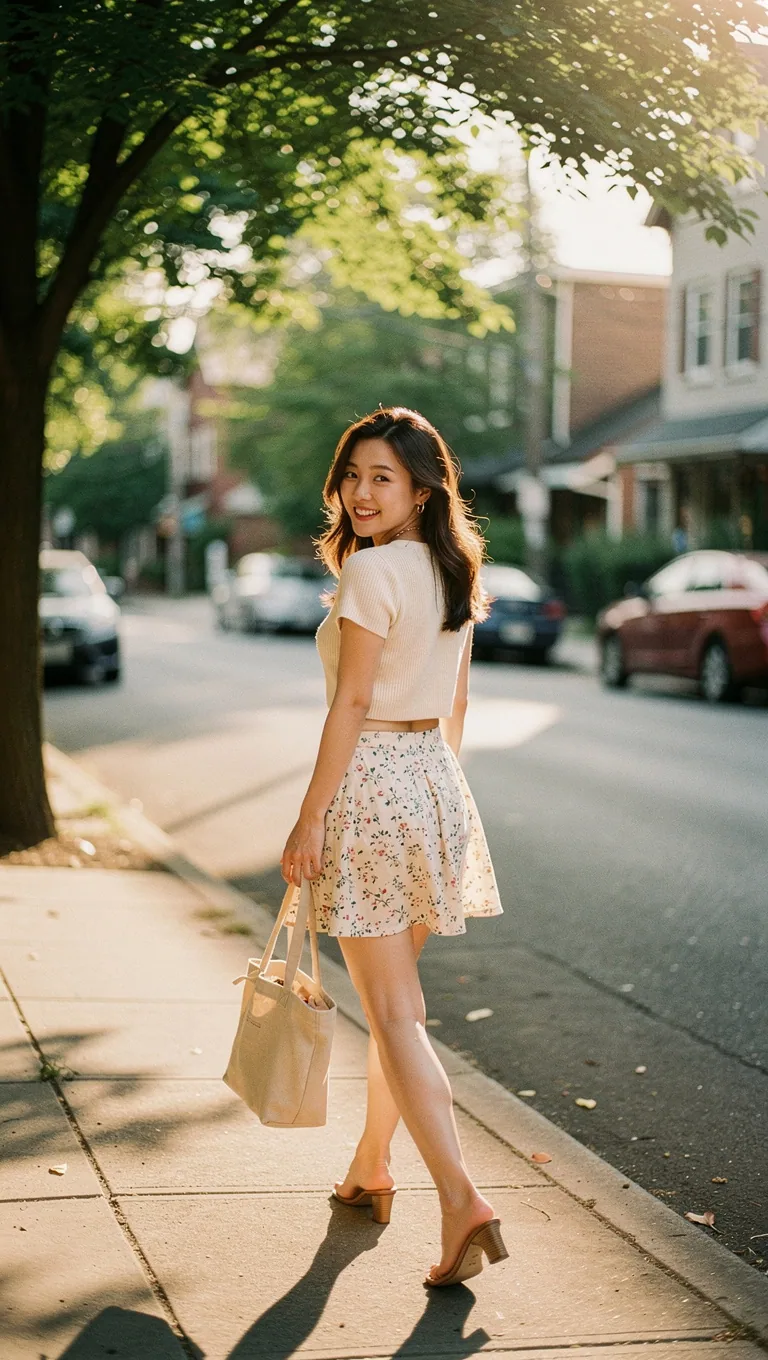 BEFORE
거리 산책
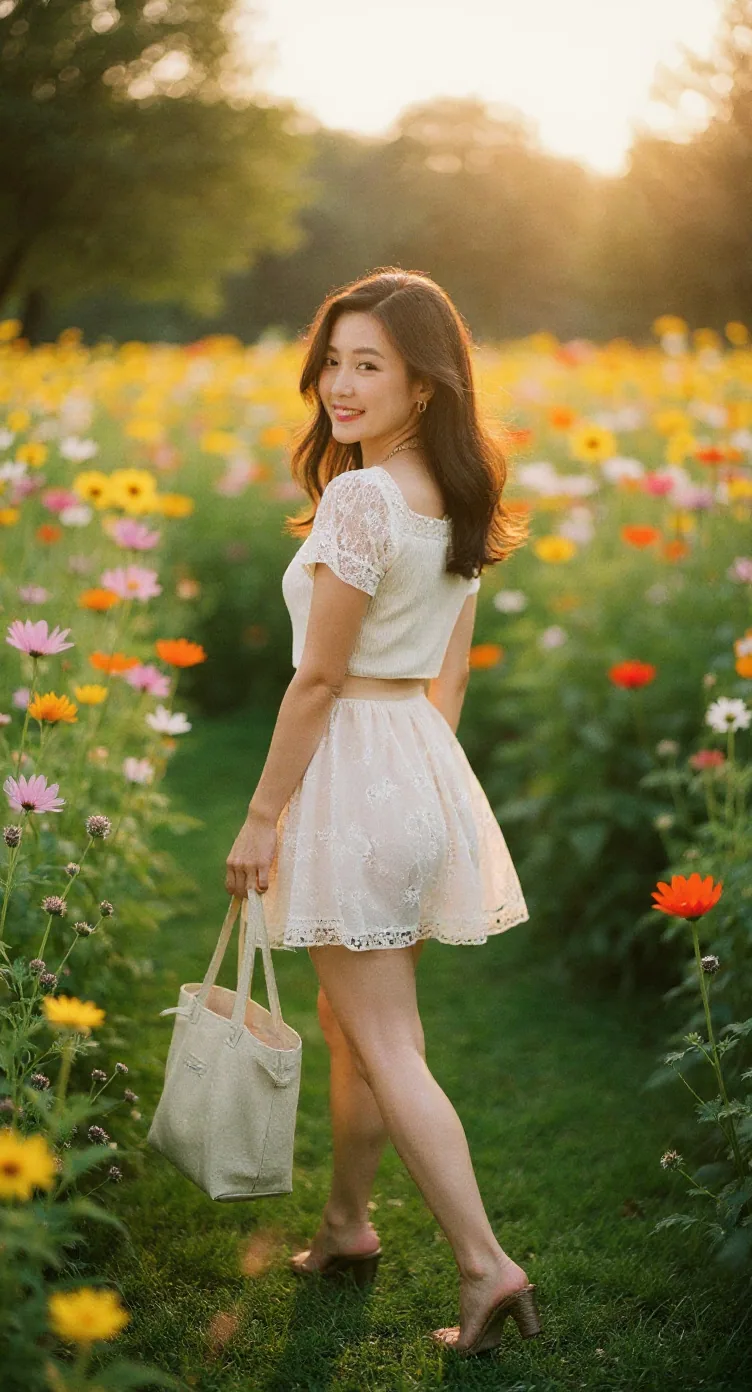 AFTER
AFTER8월 혼합 꽃밭
이런 소식, 남들보다 먼저 받으실 분?
직접 돌려보고 되는 것만 골라 매주 보내드립니다. 광고성 하이프는 거릅니다.
프롬프트 전체 (복사해서 바로 사용)
Flux Kontext Pro에 내 사진을 올리고 아래 프롬프트를 그대로 붙여넣으면 됩니다.
Keep this person's face, hair, and identity exactly as they appear in the photo. Keep their pose and expression. Change the outfit to a romantic high-waist lace chiffon dress with off-shoulder sleeves in soft ivory white, delicate fabric flowing naturally in a light summer breeze. Transport the scene to a breathtaking mixed summer flower field in full peak August bloom — bright yellow sunflowers, cosmos in soft pink and white, deep violet lavender, orange and red wildflowers, lush green stems. Warm golden afternoon sunlight streaming through the flowers, creating a radiant luminous glow. Style: cinematic and dreamy, warm golden-hour light, soft bokeh background with vivid flower details, joyful and fresh atmosphere, high detail, natural and luminous.
프롬프트 구조 — 왜 이렇게 썼나
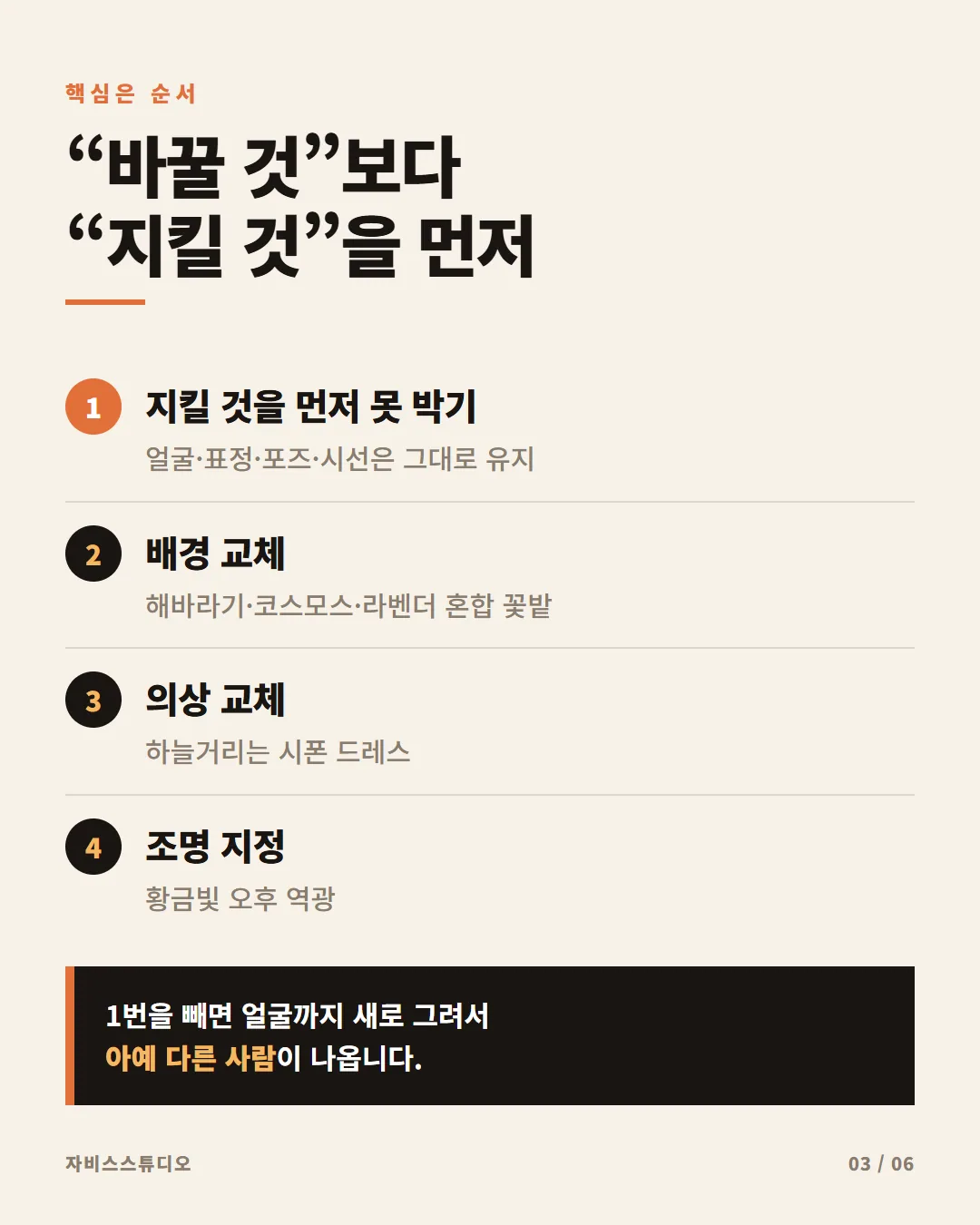
이 프롬프트가 "뭘 넣어도 예쁘게 나오는" 이유는 순서에 있습니다. 바꿀 것보다 지킬 것을 먼저 명시하면 AI가 신원을 건드리지 않습니다.
KEEP
얼굴·머리·포즈 고정 — 신원 보존을 먼저 선언. 이게 없으면 완전히 다른 사람이 나옴
OUTFIT
오프숄더 아이보리 시폰 드레스 — 소재·색상·실루엣을 구체적으로 지정
SCENE
8월 혼합 꽃밭 — 해바라기·코스모스·라벤더·야생화를 구체적으로 나열. "꽃밭"만 쓰면 우중충하게 나올 수 있음
LIGHT
황금빛 오후 햇살 + 방사형 빛 — 여름 꽃밭의 따뜻하고 화사한 분위기를 만드는 핵심
STYLE
시네마틱·드리미·골든아워 — 전체 렌더링 방향. 마지막에 쓸수록 효과가 집약됨
💡 우중충하게 나왔다면 — "melancholic, wilting, autumn" 같은 단어가 프롬프트에 들어가 있는지 확인하세요. 이 프롬프트는 의도적으로 제거했습니다.
사용 방법
- Pixa (pixa.com) — Flux Kontext Pro 선택 → 이미지 업로드 → 프롬프트 붙여넣기
- Fal.ai — flux-kontext/dev 또는 pro 모델 사용
- Replicate — black-forest-labs/flux-kontext-pro
- 사진 속 인물이 화면의 절반 이상을 차지할수록 얼굴 보존이 잘 됩니다
- 9:16 세로 사진을 쓰면 꽃밭 배경이 더 넓게 표현됩니다
관련 해시태그
실측 위주 AI 뉴스레터 — 직접 돌려보고 되는 것만 골라 매주 보내드립니다.